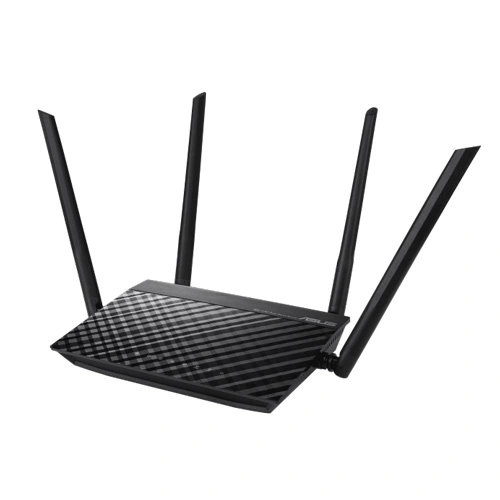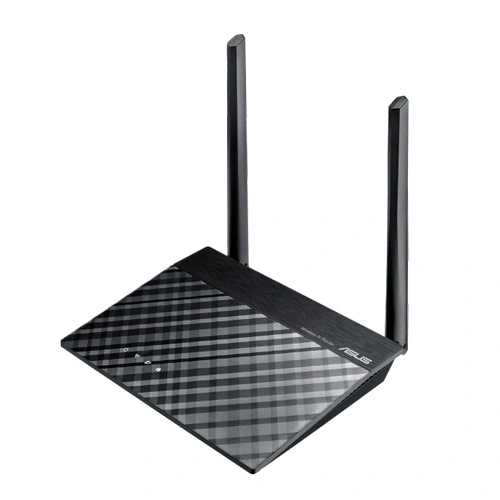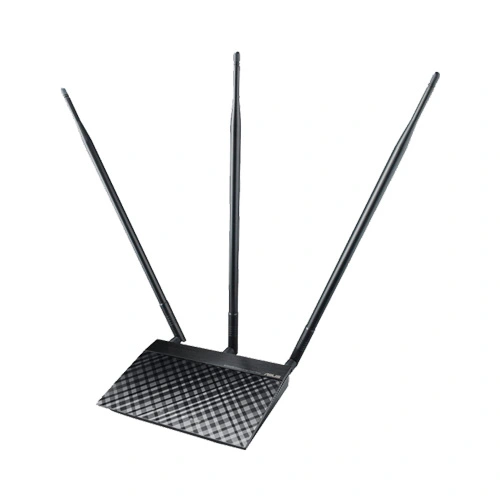
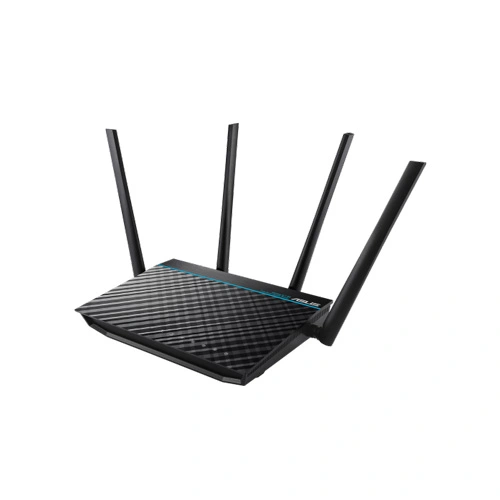
ASUS RT-ACRH17 AC1700 Dual-Band Gigabit Wi-Fi Router
The Asus RT-ACRH17 is an AC1700 router that was introduced a little more than a year ago as a successor to the reasonably successful RT-ACRH13. Because it belongs to the exclusive RH series, it is only available in a few countries, including the United States.
ASUS RT-ACRH17 Router Feature:
Fast Wi-Fi Speed— Concurrent dual-band AC1700-level Wi-Fi delivers smooth streaming for home network.
MU-MIMO for Full Speed on Many Different Devices— The revolutionary technology connects multiple MU-MIMO-compatible clients at each device’s maximum speed simultaneously.
Quad-Core Processor to Boost Your Network— Robust multitasking ability to handle busy network with heavy traffic and several devices.
Optimized Coverage with AiRadar Beamforming— The WiFi signal is focused towards linked devices to ensure stable connection.
Easy Network Setup and Control with ASUS Router App.
ASUS RT-ACRH17 Router Spec:
| Model Name | ASUS RT-ACRH17 |
| Network Standard | IEEE 802.11a IEEE 802.11b IEEE 802.11g WiFi 4 (802.11n) WiFi 5 (802.11ac) IPv4 IPv6 |
| Antenna | External antenna x 3 |
| Transmit/Receive | MIMO technology 2.4GHz 3×3 5GHz 3×3 |
| Memory | 128 MB Flash 256 MB RAM |
| Operating Frequency | 2.4G Hz / 5 GHz |
| Ports | RJ45 for 10/100/1000/Gigabits BaseT for LAN x 4, RJ45 for 10/100/1000/Gigabits BaseT for WAN x 1 USB 3.0 x 1 |
ASUS RT-ACRH17 Router Performance
To test the Asus RT-ACRH17, I took two computers, one is a Desktop PC equipped with the Asus PCE-AC88 WiFi card (it will act as the client) and the other is a relatively powerful laptop that will work as the server. On the first step, I linked both computers to the router using CAT6 cables and tested the LAN to LAN throughput (TCP): from the client to the server, I got an average of 897 MBps and from the server to the client, an average of 839 Mbps. Next, I tested the LAN to LAN throughput (UDP): from the client to the server I got an average of 870 Mbps and from the server to the client, an average of 473 Mbps.
Next, I connected the Desktop PC to the 5GHz network and, from the client to the server, at 5 feet, I measured an average of 681 Mbps, while at 15 feet, the speed remained relatively constant at an average of 654 Mbps and, at 30 feet, the speed dropped to 462 Mbps. Far, the router performs a lot better than the Netgear Orbi (despite sharing similar internal hardware), so let’s see the server to client wireless throughput: at 5 feet, I dealt with to measure an average of 298 Mbps and at 15 feet, I measured an average of 300 Mbps; at 30 feet, the speed remained surprisingly constant at an average of 261 Mbps.
On the next step, I switched to the 2.4 GHz network and, from the client to the server, at 5 feet, I measured an average of 160 Mbps, while at 15 feet, the speed dropped to 143 Mbps and, at 30 feet, I measured an average of 105 Mbps. From the server to the client, at 5 feet, the router delivered an average of 94.7 Mbps and, at 15 feet, I measured an average of 110 Mbps; at 30 feet, the speed went down to 108 Mbps.
Finally, since the router comes along with a USB 3.0 port, I decided to test its storage performance using a powerful SSD drive (Samsung T5): I wrote a 2.5 GB multimedia folder at an average of 27 MBps, while the reading speed averaged at 37.9 MBps. Unfortunately, the storage performance is a bit below average and significantly lower than what the RT-AC86U could deliver.
ASUS RT-ACRH17 Router Advantage:
Faster WiFi Speed for Smooth Streaming
Powered by 5G Wi-Fi and 256QAM technology, the 802.11 ac chipset gives the ASUS RT-ACRH17 Router faster wireless speeds than N technology. At 2.4 GHz, it reaches 400 Mbps, while on the 5GHz band it blazes to 1300 Mbps.
AC1700 Dual-band connectivity for lag-free entertainment
Delivering 2.4 GHz and 5 GHz concurrent bands at as high as 400 Mbps and 1300 Mbps, respectively, the ASUS RT-ACRH17 Router has a total speed of up to 1700 Mbps, and maintains complete stability.
You can perform basic tasks like web browsing and file downloading on the 2.4 GHz band, while simultaneously allowing multiple devices to stream in HD or support online gaming and other demanding applications smoothly on the clearer 5 GHz band.
Several Capacity WiFi with Revolutionary MU-MIMO Technology
MU-MIMO gives every compatible device its own dedicated full-speed Wi-Fi connection, so that multiple devices can connect at the same time with no slowing down the network.
ASUS RT-ACRH17 Router is able to connect to up to 3 MU-MIMO-compatible clients at each device’s max speed simultaneously, unlike standard single-user MIMO where individual devices need to wait for sequential transmissions.
Quad core ARM Cortex A7 processor
The ultimate multitasker – ASUS RT-ACRH17 Router’s Quad core CPU dedicated to WiFi and USB applications can handle heavy traffic and support the expanding network of devices and systems which is the ideal choice for smart multi-tasking.
AiRadar– TX Beamforming Support
With AiRadar Beamforming technology, high power amplification, and exclusive ASUS RF fine-tuning to extend coverage, increase dynamic data speed, and enhanced stability.
3-Step Simple Setup Through Your Pad, Smartphone, or PC
In less than 30 seconds and in only 3 simple steps, effortlessly set up your ASUS router through the simple user interface to start surfing the Internet in record time.