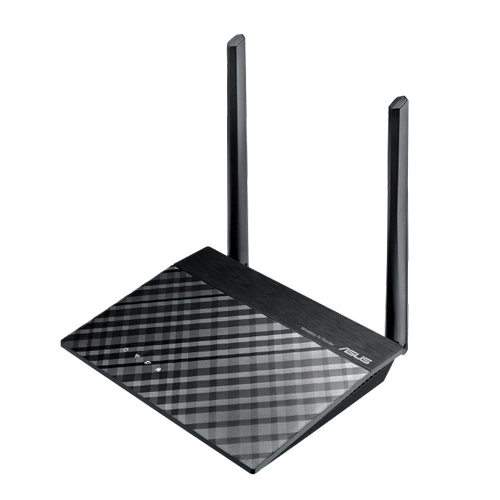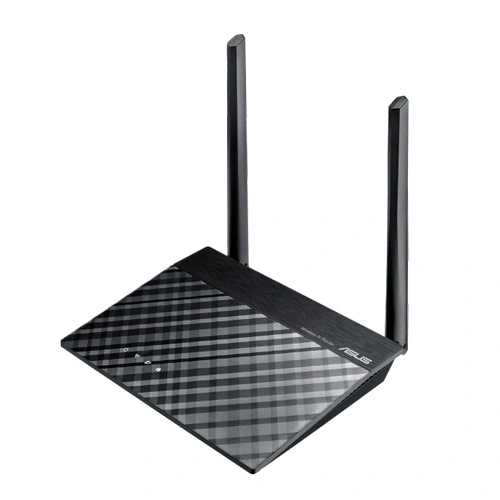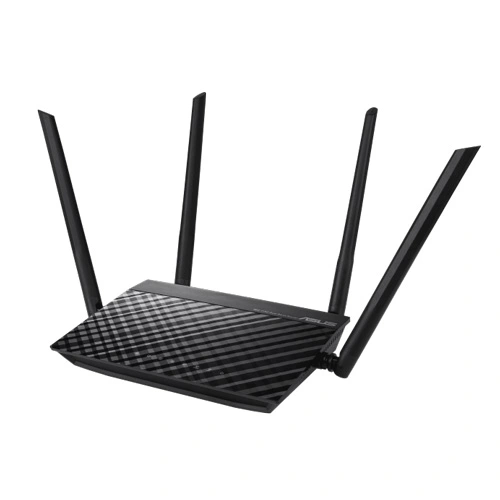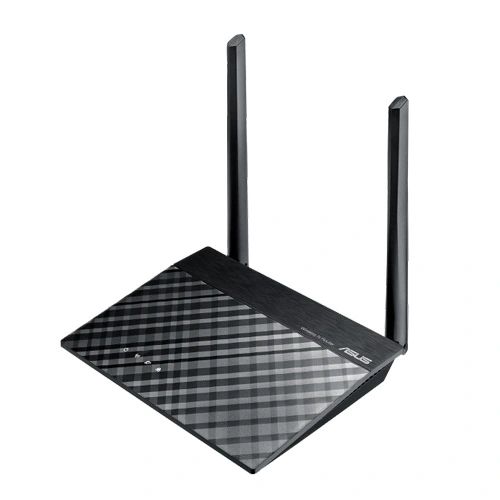
ASUS RT-AX56U AX1800 Dual Band WiFi 6 Router
Despite being the entry-level model, the Asus RT-AX56U is a very capable WiFi 6 router and perhaps the perfect way to get a taste of the new WiFi technology and not only because the price tag is more affordable than its more powerful siblings, but because it works fine with both AC and AX clients.
ASUS RT-AX56U Router Feature:
Next-Gen WiFi Standard – Supporting the most current WiFi standard 802.11 AX (WiFi 6) and 80MHz bandwidth for better capacity and efficiency
Ultra-fast WiFi Speed— ASUS RT-AX56U Router supports 80MHz bandwidth and 1024-QAM for dramatically faster wireless connections. With a total networking speed of about 1800Mbps– 574 Mbps on the 2.4 GHz band and 1201 Mbps on the 5GHz band.
Increase Capacity and Efficiency— Supporting not only MU-MIMO but also OFDMA technique to efficiently allocate channels, communicate with many different devices simultaneously
Commercial-grade Security— lifetime free AiProtection, powered by Trend Micro ™, blocks internet security threats for all your connected smart devices.
Better Partner with Mesh System– Compatible with ASUS AiMesh Wi Fi system for seamless whole-home coverage.
NitroQAM ™ (1024-QAM) technology – NitroQAM ™ (1024-QAM) technology enables a 25% data rate while the older standard is limited to 256-QAM.
ASUS RT-AX56U Router Spec:
| Model Name | ASUS RT-AX56U |
| Network Standard | IEEE 802.11a IEEE 802.11b IEEE 802.11g WiFi 4 (802.11n) WiFi 5 (802.11ac) IPv4 IPv6 |
| Product Segment | AX1800 ultimate AX performance : 1201 Mbps+ 574 Mbps |
| Data Rate | 802.11a : up to 54 Mbps 802.11b : up to 11 Mbps 802.11g : up to 54 Mbps WiFi 4 (802.11n) : up to 433 Mbps WiFi 5 (802.11ac) : up to 867 Mbps WiFi 6 (802.11ax) (2.4GHz) : up to 574 Mbps WiFi 6 (802.11ax) (5GHz) : up to 1201 Mbps |
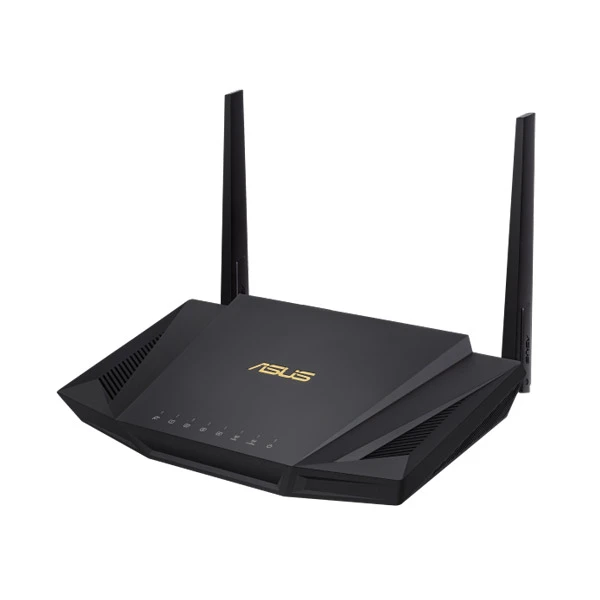
| Antenna | External antenna x 2 |
| Transmit/Receive | 2.4GHz 2×2 5GHz 2×2 |
| Processor | 1.5GHz quad-core processor |
| Memory | 256 MB Flash 512 MB RAM |
| Operating Frequency | 2.4 GHz / 5 GHz |
| Ports | RJ45 for Gigabits BaseT for WAN x 1, RJ45 for Gigabits BaseT for LAN x 4 USB 2.0 x 1 USB 3.1 Gen 1 x 1 |
| Power Supply | AC Input : 110V~240V(50~60Hz) DC Output : 12 V with max. 2 A current |
| Package content | RT-AX56U RJ45 x1 Adapter x1 QSG x1 Warranty Card x1 |

ASUS RT-AX56U Router Performance
I took two computers, one will act as the server and will be connected to the router through a cable and the other will be the client and it will be equipped with a TP-Link TX3000E AX3000 PCI WiFi adapter.
Through this, while the device was connected to the 5GHz network on the 80MHz channel bandwidth, from the client to the server, I saw an average of 825 Mbps at about 5 feet from the router and, at 15 feet, the speed went down to 646 Mbps; at 30 feet, I measured an average of 329 Mbps. Far, at least at close range, it offers a similar performance to the Asus RT-AX58U.
Next, from the server to the client, I measured an average of 386 Mbps at 5 feet and, at 15 feet, I got an average of 317 Mbps; going further to 30 feet, I managed to measure an average of 228 Mbps. Again, the ASUS RT-AX56U Router performance is very similar to the RT-AX58U, but 80MHz is the maximum the router can go, so let’s switch to the 2.4 GHz network (40MHz): from the client to the server, at 5 feet, I measured an average of 355 Mbps and, at 15 feet, I saw an average of 222 Mbps; at 30 feet, I measured around 123 Mbps– fantastic results and it shows that the compatibility with the WiFi adapter matters a lot.
From the server to the client, at 5 feet, I saw an average of 258 Mbps and, at 30 feet, I measured an average of 118 Mbps. The problem that I had when I tested the Asus RT-AX58U and the Netgear RAX40 was that both had compatibility issues with a couple of Asus PCI WiFi adapters, the pce-ac68 and the pce-ac88 (besides the unstable 160MHz channel bandwidth), so I decided to switch the TP-Link WiFi 6 adapter for the Asus PCE-AC88 and see if these problems persist despite this entry-level router. That being said, while the client was connected to the 5GHz network, from the client to the server, I saw an average of 670 Mbps at 5 feet and, at 15 feet, I measured an average of 701 Mbps (I noticed that sometimes, this adapter does get overwhelmed at close distance); at 30 feet, I saw an average of 308 Mbps.
Far, I haven’t seen any stability issues and that has remained true for the server to the client test as well: at 5 feet, I handled to measure an average of 375 Mbps and, at 30 feet, the speed decreased to 242 Mbps. Afterwards, I switched to the 2.4 GHz network (40MHz) and, from the client to the server, at 5 feet, I measured an average of 311 Mbps and, at 30 feet, I saw an average of 91.4 Mbps. From the server to the client, I managed to measure an average of 211 Mbps and at 30 feet, I saw around 57.1 Mbps.
ASUS RT-AX56U Router Advantage:
Get Your Home Ready for WiFi 6 (802.11 ax).
The growing number of connected personal and IoT devices has led to an overall increase in network density that is pushing the limits of the current Wi-Fi standard. The most current 802.11 ax standard offers future-proof technologies, higher network efficiency, faster Wi-Fi speeds, greater coverage and improved battery life for connected devices, providing a significantly better networking experience for users.
Next-Gen WiFi Speed.
ASUS RT-AX56U Router is a 2×2 dual-band Wi-Fi router that provides 80MHz bandwidth and 1024-QAM for dramatically faster wireless connections. With a total networking speed of about 1800Mbps– 574Mbps on the 2.4 GHz band and 1201Mbps on the 5GHz band– ASUS RT-AX56U Router is 1.5 X faster than 802.11 ac 2×2 dual-band routers.
Built for Multi-device Households.
With a revolutionary combination of OFDMA and MU-MIMO technology, 802.11 ax technology provides as many as 4X greater network capacity and efficiency in traffic-dense environments. Previous-generation
Better Battery Life for Your Devices
Target Wake Time (TWT) allows ASUS RT-AX56U Router to schedule designated intervals for devices to transmit data. This allows them to sleep when there is no need to wait for a router signal, reducing power consumption by up to 7X for significantly improved battery life
WiFi that Goes Farther
With the latest 802.11ax WiFi standard featuring OFDMA technology, ASUS RT-AX56U Router provides increased WiFi signal range and better coverage by dividing each channel into smaller sub-channels. These sub-channels have a smaller bandwidth that enables them to travel up to 80% farther1, resulting in a better WiFi connection throughout your home
Commercial-grade Security for your Home Network
ASUS RT-AX56U Router has lifetime free AiProtection Pro, powered by Trend Micro™ with automatic, regularly updated security signatures to protect your devices and personal data from internet threats. This strong security offers advanced parental controls, including the ability to block specific websites and mobile app types.
Powerful Whole-home Wi-Fi System.
In most cases, your ASUS RT-AX56U Router can deliver smooth, reliable Wi-Fi to every part of your home. But Wi-Fi coverage can be affected by many factors — room layout, construction materials, and even furnishings. ASUS AiMesh is an innovative new router feature that fixes these problems: it creates a whole-home Wi-Fi network using multiple ASUS routers. AiMesh is powerful, flexible and you can use a mix of ASUS router models — protecting your investment! AiMesh gives you time-saving central control, and seamless roaming capability. AiMesh is Wi-Fi you can rely on — for all your devices, all the time!
Verdict
Despite being the entry-level model, the Asus RT-AX56U is a very capable WiFi 6 router and perhaps the perfect way to get a taste of the new WiFi technology and not only because the price tag is more affordable than its more powerful siblings, but because it works fine with both AC and AX clients. Indeed, I have not experienced the same stability issues that I had with the Asus RT-AX58U when connecting clients with an ASUS PCE-AC88 WiFi adapter and, overall, the wireless performance was excellent for the most part. So, should you get a good enough 802.11ac router now and upgrade later when the WiFi 6 gets more widespread or is the ASUS RT-AX56U Router positioned at the right moment to call for an equipment upgrade? The price is decent, the performance is there and the software is quick and rich in options, so, yes, it’s not a bad time to give WiFi 6 a chance, especially if you’ve been waiting for an upgrade for a